
![Unreal Studios Vehicle Spawner [Escrow]](https://dunb17ur4ymx4.cloudfront.net/packages/images/cdcef0648911285e0f96a0c3d2c267dd45ae4852.png)
Unreal Studios Vehicle Spawner is a configurable in-game vehicle deployment system designed for QBCore roleplay servers.
The system allows authorized players to quickly access and spawn configured vehicles through a clean interaction system, making it ideal for Police, EMS, Fire, Mechanics, and other job-based fleets.
Server owners can configure vehicle lists, spawn locations, job access, and deployment points to create dedicated garages and fleet stations throughout the server.
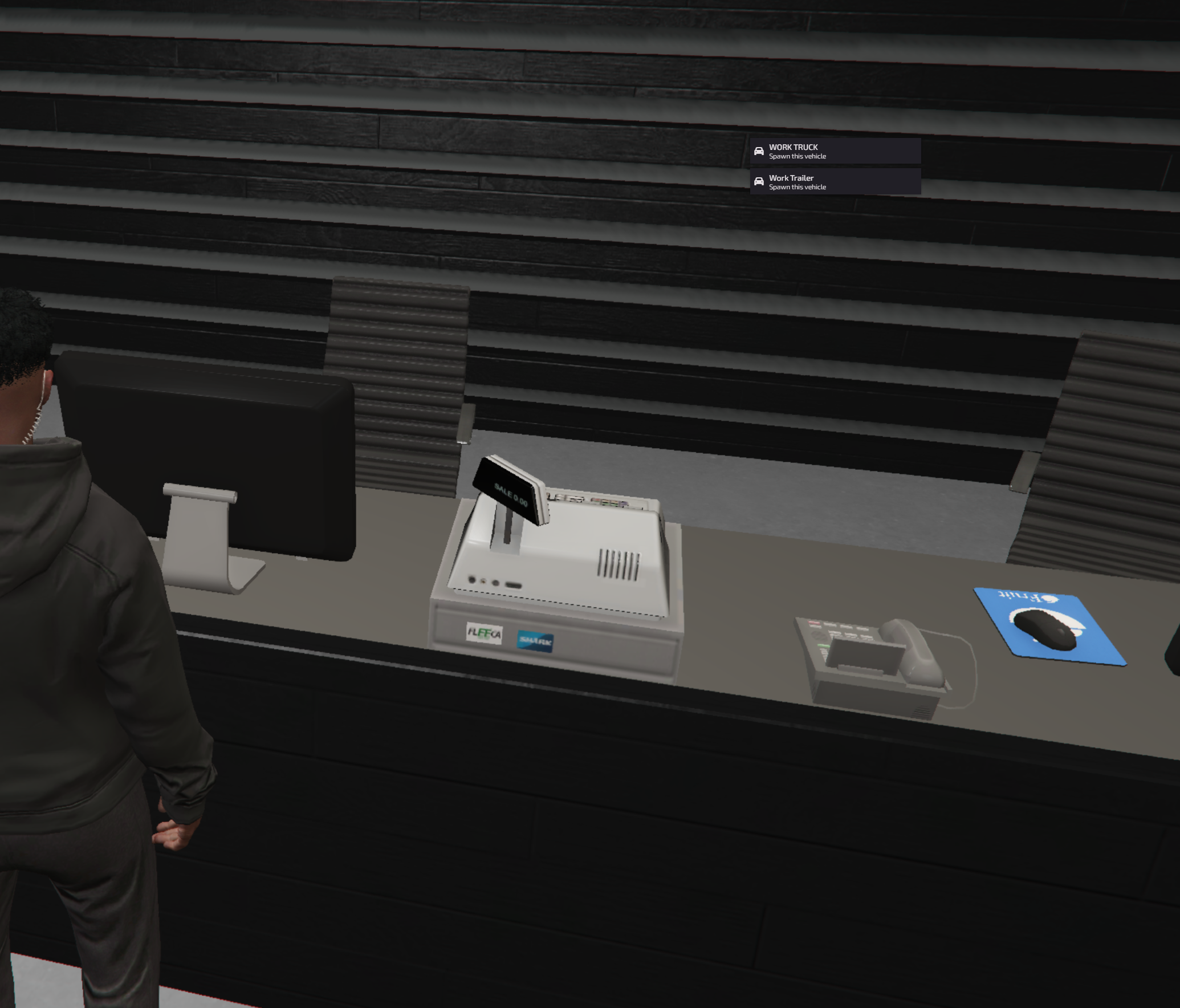
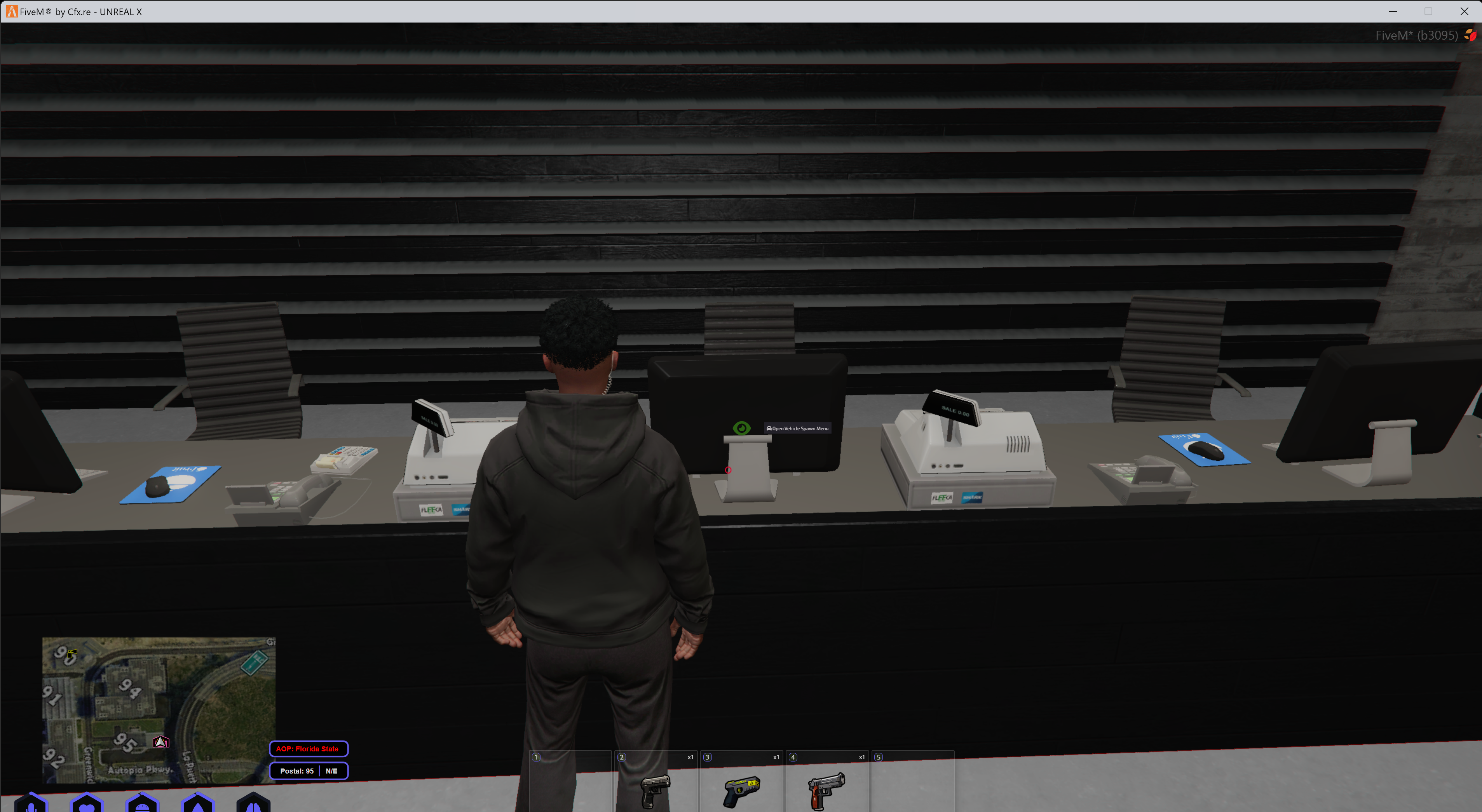
The Vehicle Spawner is built around QBCore and qb-target integration, providing fast and immersive access to department vehicles without relying on traditional garage menus.
Key Features
- Real-Time Vehicle Spawning – Instantly deploy configured vehicles from designated locations.
- Custom Vehicle Lists – Configure your own vehicles, labels, and models for each spawner.
- Multiple Spawn Locations – Create dedicated vehicle deployment points throughout your server.
- Job-Based Access – Restrict vehicle access to specific QBCore jobs.
- qb-target Integration – Access vehicle spawners through immersive third-eye interactions.
- Precise Spawn Placement – Configure exact coordinates and headings for spawned vehicles.
- Emergency Fleet Support – Ideal for Police, EMS, Fire, and other department vehicles.
- Utility Vehicle Support – Supports cars, trucks, trailers, specialty vehicles, and compatible custom vehicle packs.
- Configurable Deployment Points – Set up different vehicles and access permissions for individual locations.
- Simple Configuration – Manage vehicles, jobs, locations, and settings through the resource configuration.
- Roleplay Focused – Designed for quick vehicle deployment while maintaining immersive server interactions.
- Lightweight – Built for reliable operation without unnecessary resource usage.
Compatibility
- QBCore
- qb-target
- Default GTA vehicles
- Compatible third-party vehicle packs
- Cars and emergency vehicles
- Utility vehicles
- Trucks and specialty vehicles
- Compatible trailers
Important: This resource requires QBCore and qb-target. It is not designed for ESX or Standalone servers.
Ideal For
- Police departments
- Highway patrol units
- Sheriff departments
- Fire and rescue departments
- Emergency medical services
- Mechanic shops
- Towing companies
- Government fleets
- Utility departments
- Job-based vehicle deployment
Configuration
Server owners can configure the resource to match their individual departments, vehicle fleets, and deployment locations.
- Vehicle models
- Custom vehicle labels
- Job restrictions
- Spawn coordinates
- Vehicle headings
- Interaction locations
- Spawn distances
- Department-specific vehicle lists
Delivery
This product is delivered automatically through Tebex after the purchase has been completed.
Customers will receive access to download the resource using the account connected during checkout.
Installation
- Download the resource after completing your purchase.
- Extract the resource into your server's resources directory.
- Ensure QBCore and qb-target are installed and running.
- Configure your vehicle lists, jobs, spawn locations, and interaction points.
- Add the resource to your server configuration.
- Restart the server and verify each configured vehicle deployment location.
Preview
https://www.youtube.com/watch?v=vtwM8Wmck3I
Support
Need assistance with installation or configuration? Join the Unreal Studios support server.
Unreal Studios
Professional resources built for immersive FiveM communities.